Seven creative areas
Images, characters, animation, worlds and tiles, editing, refinement, UI and fonts.
Free desktop app · macOS and Windows
Your workspace between the first idea and the next game asset. Pixel Studio brings the PixelLab API, local projects and your creative workflow together.
The app is free. Generation uses your own PixelLab account; API charges follow your PixelLab plan.
Your projects stay local.
Your key stays in the system store.
No app telemetry.
From first draft to export
A reference becomes an image. A result becomes a starting point. Separate files become a project you can return to tomorrow.
Create a local project, import references and connect your PixelLab account. Drafts and results stay together.
Create images, prepare character views and animations, or continue editing a result. Project style and local previews keep the work connected.
Export originals, spritesheets, GIFs or PNG/JSON packages. Reopen a complete project ZIP on another device.
One connected workspace
PixelLab handles generation. Pixel Studio connects the work before, between and after those requests.
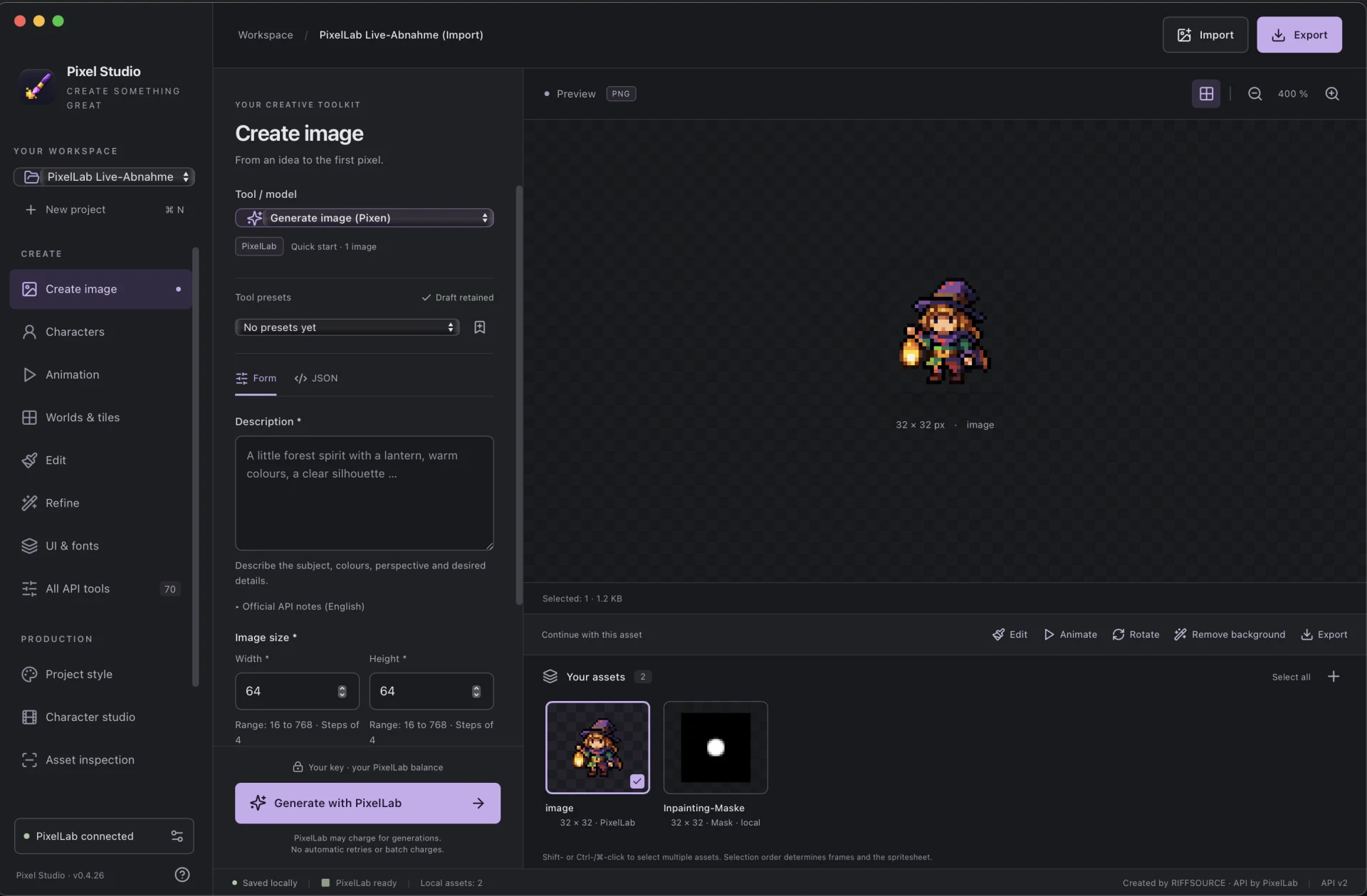
Images, characters, animation, worlds and tiles, editing, refinement, UI and fonts.
Size, view, outlines, palette and local style references as a common starting point.
Keep views and variants together, arrange frames, set timing and review with onion skin.
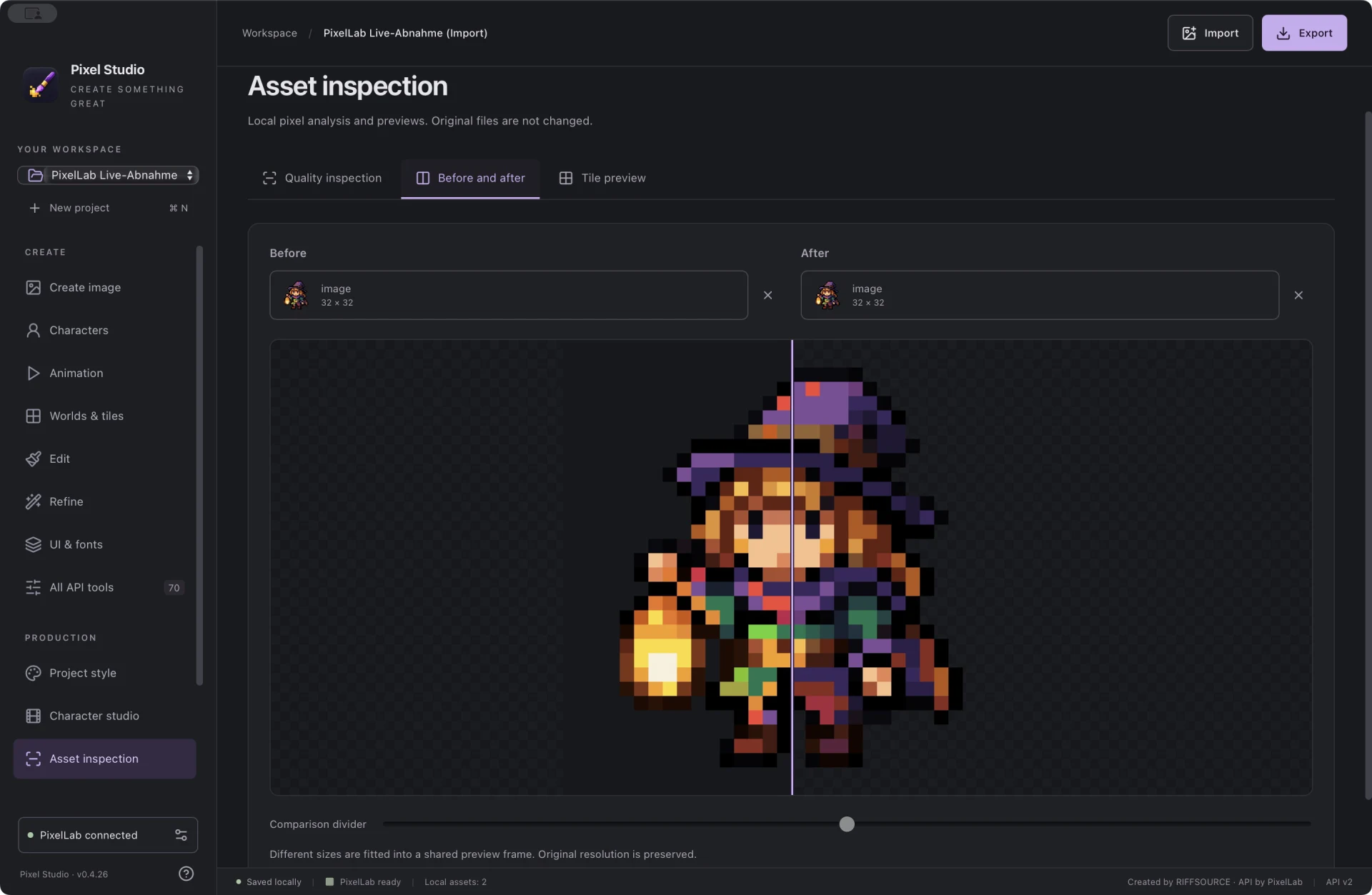
Names, favourites, tags and collections. Large previews, transparency grid and zoom stay close at hand.
Saved history and supervision of known jobs. Failed generation submissions are never automatically repeated.
German, English, French, Spanish, Italian, Greek and Portuguese.
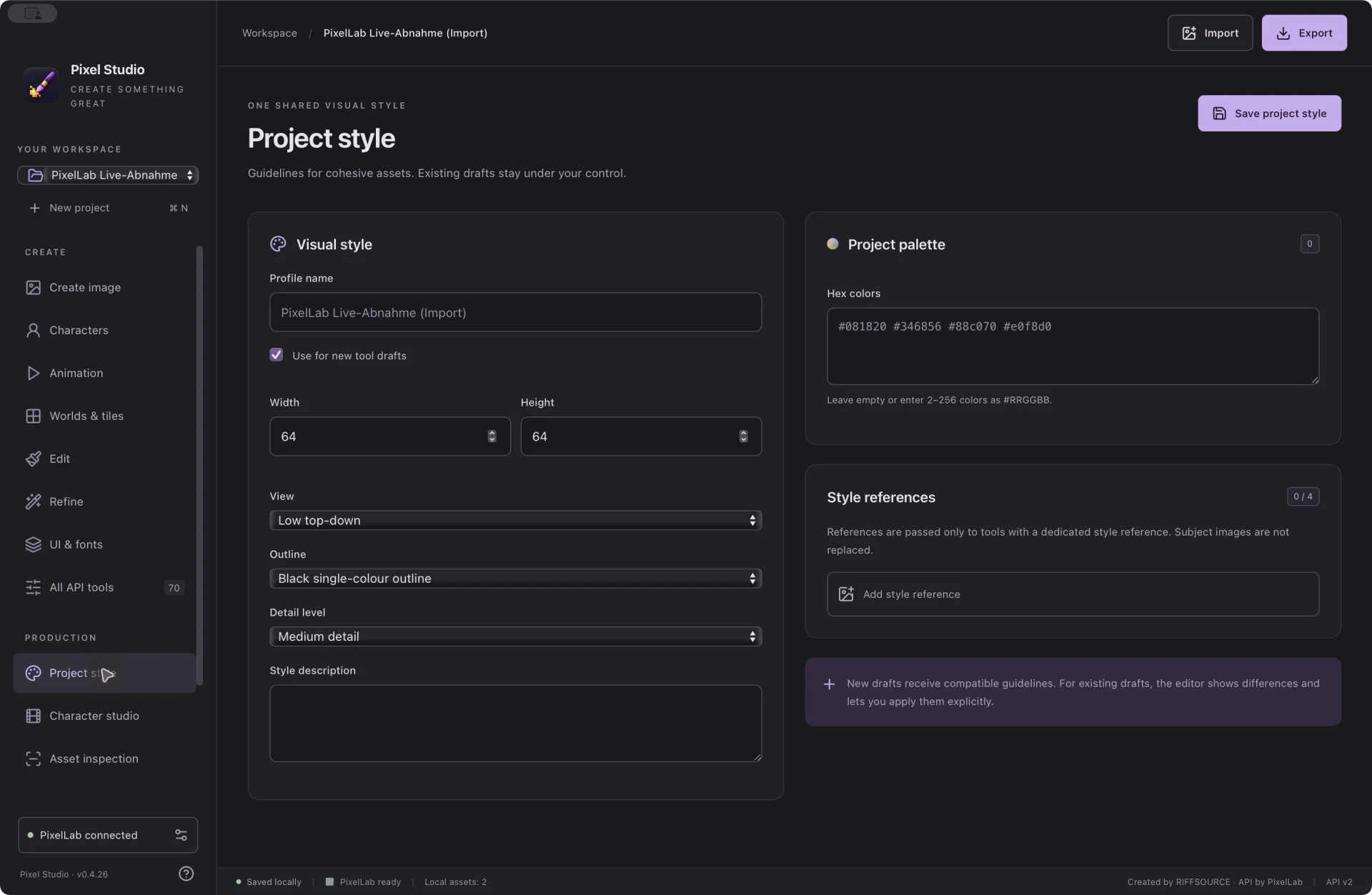
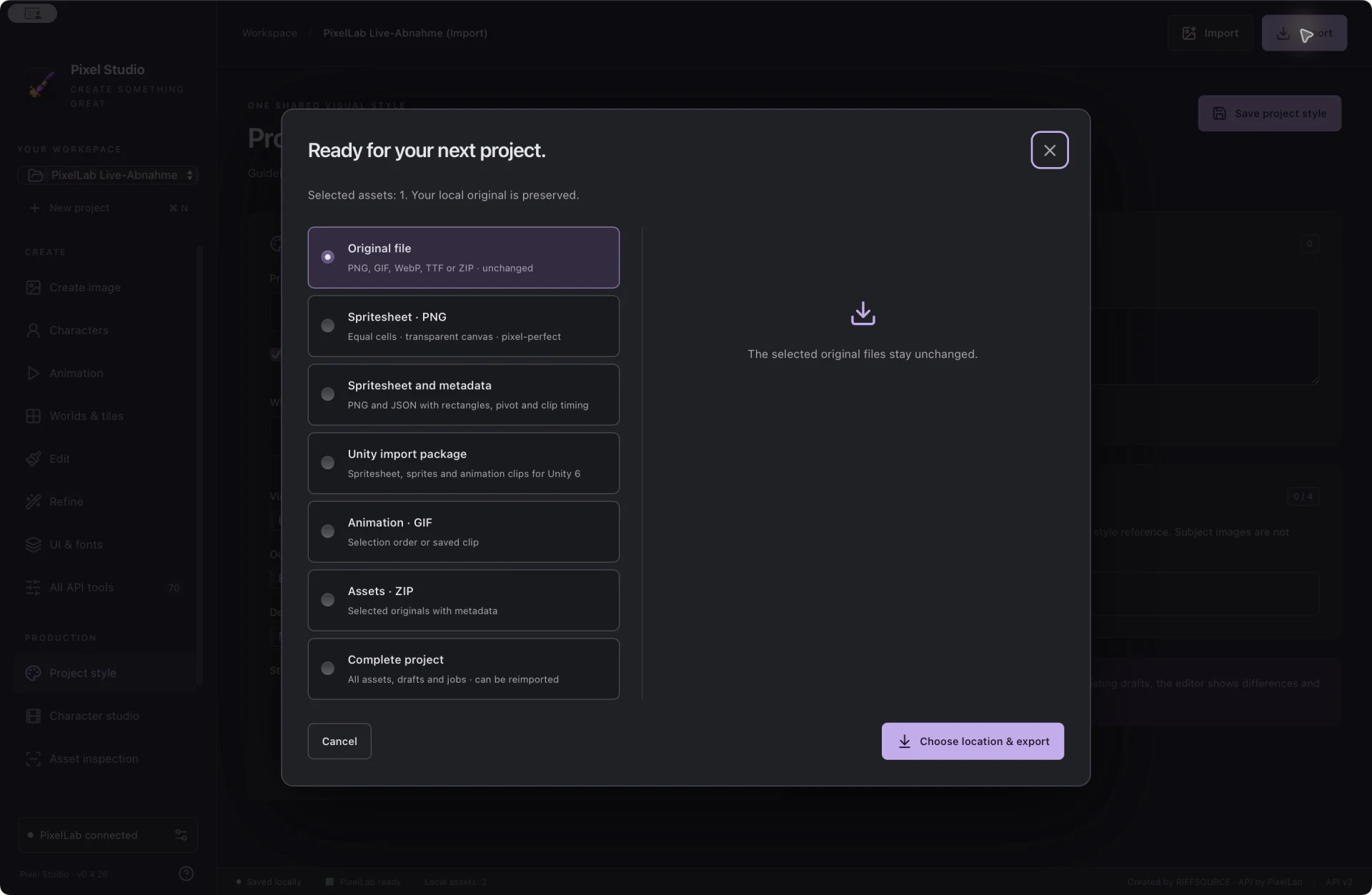
Actual Mac app captures, version 0.4.26. Unity export hands over existing sprites and clips; Pixel Studio is not a world or level editor.
Your work. Under your control.
No RIFFSOURCE account, app subscription or usage analytics. A clear boundary between your local project and what you send to PixelLab.
Ready for your next idea?
0.4.26 Preview release · 6 November 2026
Download the app directly from RIFFSOURCE. No sign-up form and no download tracking.
Available now
Apple Silicon
Download for macOSDMG · Version 0.4.26 · Developer ID signed and Apple notarised app.
Open the DMG and drag Pixel Studio into Applications. An Intel Mac download is not available for this version yet.
Up next
A current Windows build is in preparation. The download will appear here when its installer is ready for distribution.
Download in preparationFollow the development journal for news about the Windows release.
This site uses no analytics or advertising scripts. Page views and downloads involve technical connection data at the webserver; see the privacy information for details.
Follow development ↗FAQ
The app is free, without a RIFFSOURCE subscription. AI processing runs on PixelLab using your own account. Its API plan and possible charges apply independently of Pixel Studio.
You can open, organise, inspect and export existing local projects. New AI generations and PixelLab library requests need a connection to PixelLab.
Pixel Studio is developed independently by RIFFSOURCE and uses the official PixelLab API. PixelLab provides the models and API service. You manage your account and API key with PixelLab.
Projects are stored locally on your device; credentials are in the system store. The app checks only signed, newer updates and installs after your click. Update checks send no projects or API keys. Local project files are not additionally encrypted by the app.